• Jump to Header
  • Jump to Main Content
  • Jump to Footer
Michigan State University
Technology at MSU
  • Training
  • MSU Tech Store

Technology at MSU

  • About
    • About MSU IT
    • Mission, Vision, and Values
    • MSU IT Organization
    • MSU IT Leadership
    • Guidelines and Policies
    • Institutional Data Policy
    • Secure IT
    • Federated IT
    • MSU IT Projects
    • Office of the CIO
  • |
  • Services
    • Service Catalog
    • Request a Service
    • Business & Productivity Services
    • Consultation Services
    • Work & Workstation Services
    • Hardware & Software
    • Spartan 365
    • Zoom & Conferencing
    • Application Development
    • Network Services
    • Server, Data, and Storage Support
    • Cloud Services
    • Web Services
    • AI Services
    • Data & Analytics
    • Technology in Classrooms
    • Google Workspace
    • Teaching & Learning Services
    • High Performance Computing
    • Research Technology & Collaboration
  • |
  • Help and Support
    • Get Help / Contact IT
    • Report an Issue
    • Service Status
    • Getting Online
    • Classroom Support
    • Workstation / Desktop Support
    • Digital Accessibility Support
    • Visitor & Guest Support
    • IT Partners & Service Providers
    • Knowledge Base / Documentation
    • Training
    • Orientation
    • FAQs
  • |
  • Students
    • New Students
    • Getting Online
    • Email / Spartan Mail
    • D2L
    • Printing
    • Computer Labs
    • MSU Mobile App
    • Help & Support
    • Security Tips
    • Password Help
    • MSU Tech Store
  • |
  • Faculty and Staff
    • Faculty
    • Staff
    • Orientation
    • Workstation Support
    • IT Staff Resources
    • Training
    • Collaboration Tools
    • Remote Work Tools
    • Staff Technology Tools
    • Storage & File Sharing
    • Software & Licensing
    • Teaching Tools
    • Research Technology Support
    • Lab / Classroom Scheduling
    • Web Technology Tools
    • Security Resources
  • |
  • SecureIT
    • Multi-Factor Authentication
    • Research Security
    • Safeguard Your Devices
    • Phishing
    • Passwords
    • File Sharing & Copyright
    • Handling Data
    • Securing Data
    • Data & Hardware Disposal
    • Employee Guide
    • Admin & Supervisor Guide
    • IT Security Checklists
    • Security Incident
    • Website Security Standards
    • Cybersecurity Awareness Training
    • MSU Information Security Program Plan
    • Single Sign-On & Self-Service Password Reset
  • |
  • News
Get IT Help
Technology at MSU
  • About
  • Services
  • Help and Support
  • Students
  • Faculty and Staff
  • SecureIT
  • News

< About

  • About MSU IT
  • Mission, Vision, and Values
  • MSU IT Organization
  • MSU IT Leadership
  • Guidelines and Policies
  • Institutional Data Policy
  • Secure IT
  • Federated IT
  • MSU IT Projects
  • Office of the CIO

< Services

  • Service Catalog
  • Request a Service
  • Business & Productivity Services
  • Consultation Services
  • Work & Workstation Services
  • Hardware & Software
  • Spartan 365
  • Zoom & Conferencing
  • Application Development
  • Network Services
  • Server, Data, and Storage Support
  • Cloud Services
  • Web Services
  • AI Services
  • Data & Analytics
  • Technology in Classrooms
  • Google Workspace
  • Teaching & Learning Services
  • High Performance Computing
  • Research Technology & Collaboration

< Help and Support

  • Get Help / Contact IT
  • Report an Issue
  • Service Status
  • Getting Online
  • Classroom Support
  • Workstation / Desktop Support
  • Digital Accessibility Support
  • Visitor & Guest Support
  • IT Partners & Service Providers
  • Knowledge Base / Documentation
  • Training
  • Orientation
  • FAQs

< Students

  • New Students
  • Getting Online
  • Email / Spartan Mail
  • D2L
  • Printing
  • Computer Labs
  • MSU Mobile App
  • Help & Support
  • Security Tips
  • Password Help
  • MSU Tech Store

< Faculty and Staff

  • Faculty
  • Staff
  • Orientation
  • Workstation Support
  • IT Staff Resources
  • Training
  • Collaboration Tools
  • Remote Work Tools
  • Staff Technology Tools
  • Storage & File Sharing
  • Software & Licensing
  • Teaching Tools
  • Research Technology Support
  • Lab / Classroom Scheduling
  • Web Technology Tools
  • Security Resources

< SecureIT

  • Multi-Factor Authentication
  • Research Security
  • Safeguard Your Devices
  • Phishing
  • Passwords
  • File Sharing & Copyright
  • Handling Data
  • Securing Data
  • Data & Hardware Disposal
  • Employee Guide
  • Admin & Supervisor Guide
  • IT Security Checklists
  • Security Incident
  • Website Security Standards
  • Cybersecurity Awareness Training
  • MSU Information Security Program Plan
  • Single Sign-On & Self-Service Password Reset

< News

  • Training
  • MSU Tech Store
Get IT Help

Feb. 21, 2025 | Read time 2 min

Boosting campus connectivity through collaboration

By: Joshua

The digital era is advancing at Michigan State University as the success of students, faculty, staff, researchers, and guests depends heavily on cellular communication services every day. The MSU IT Unified Communications Team is dedicated to ensuring that these services are not only maintained but continually upgraded to keep pace with the ever-changing world of technology. 
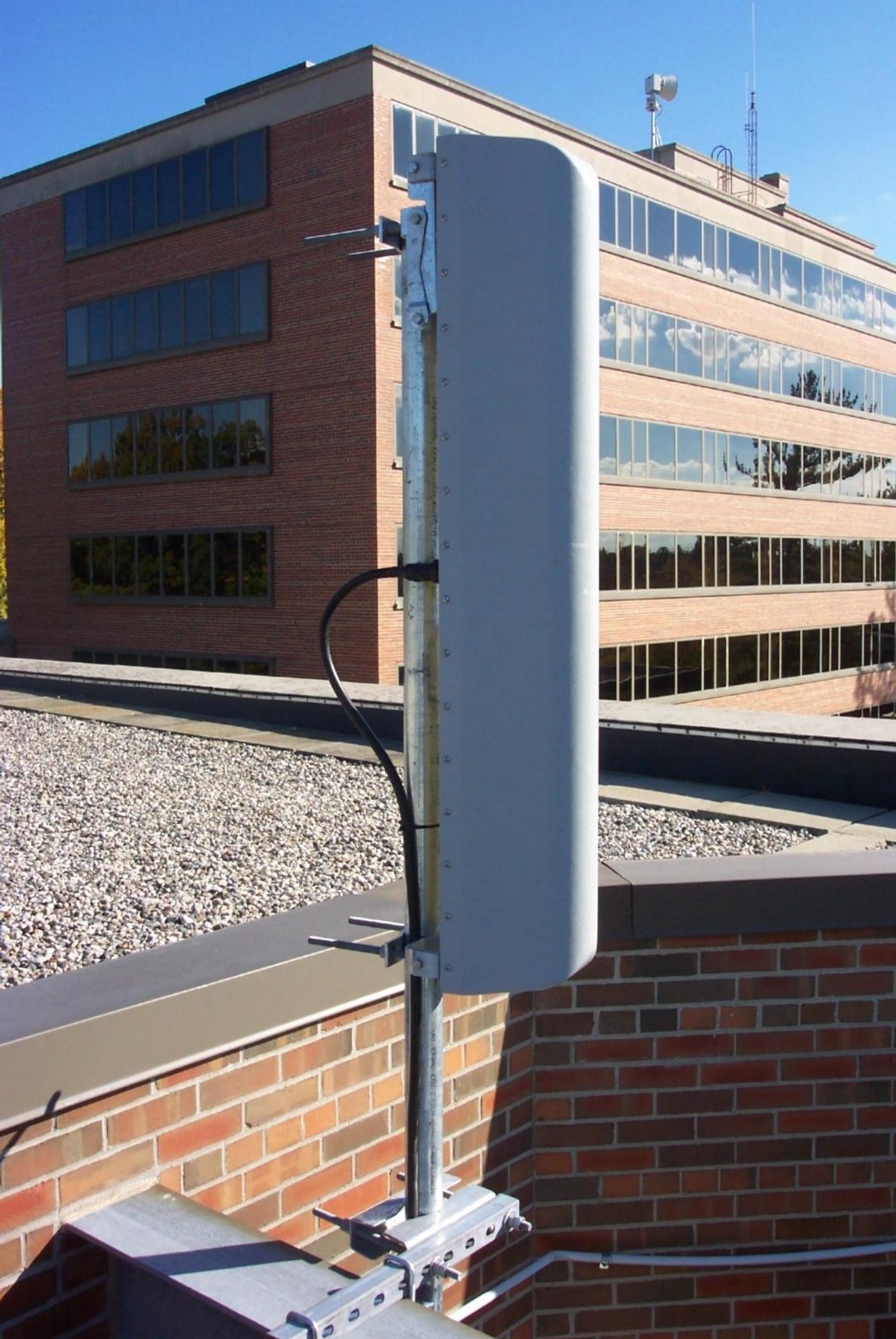
Small white cylindrical tube serving as a cell phone towerRecently, Verizon Wireless began deploying significant upgrades across campus. By mid-2025, 14 Verizon sites at MSU will be transformed into “Small Cell Sites,” enhancing both 4G and 5G coverage. These upgrades involve installing new antennas and cutting-edge 5G radio technologies, promising stronger signals and faster data speeds. 

“These upgrades don’t just improve connectivity—they facilitate Spartan success,” said Nick Kwiatkowski, MSU IT Unified Communications Team manager. “Reliable and fast cellular services pair with our Wi-Fi network to ensure access to resources and collaboration, contributing to academic achievements and overall experience.” 

MSU IT serves as the vital link between the university and major cellular carriers like AT&T, T-Mobile, and Verizon Wireless. By providing each carrier with direct access to MSU’s high-performance fiber network, the MSU IT team ensures that data from cell towers and other equipment is efficiently transported to main network hubs. This backhauling process is essential for maintaining high-speed, reliable communication services, enabling seamless connectivity and supporting the university’s technological needs.   

Campus-wide coverage
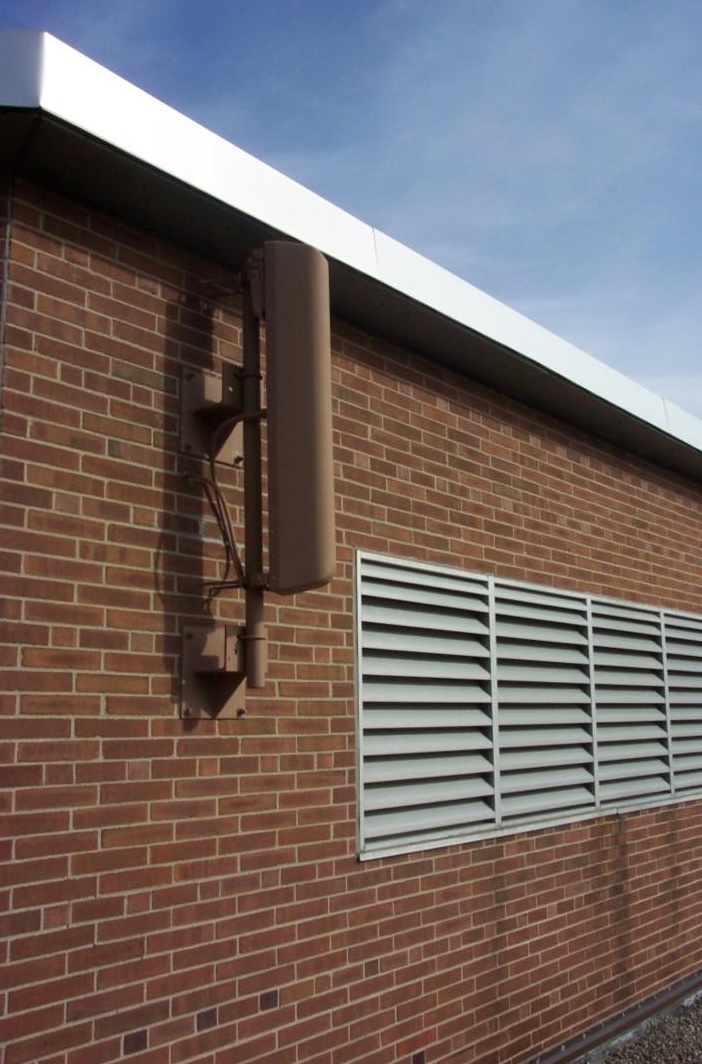
In addition to widespread outdoor coverage, Verizon Wireless has installed an extensive in-building antenna system to improve cell reception in key areas, such as the Breslin Center, Munn Ice Arena, Spartan Stadium, 1855 Place, and Minskoff Pavillion.  

The MSU IT Services Unified Communications Team collaborated closely with Verizon’s contractors to oversee installations and ensure optimal antenna and cable placements. 

MSU IT continues to work with campus partners to provide support and project management for all vendor site locations. This includes power installations by IPF electricians, campus fiber provisioning by MSU IT Telecom Operations technicians, and managing escort access needs.  

“Maintaining strong relationships with cellular carriers and their engineers is essential for addressing coverage issues and ensuring top-notch service for everyone on campus,” said Chuck Harden, MSU IT, Sr. Telecom Engineer. 

Stay tuned for future updates on how we are working to keep MSU at the forefront of technology, ensuring that our community always has first-rate connectivity. Go Green! 

Resources

  • A to Z Index
  • Find People
  • Maps
  • Email
  • Student Information System (SIS)
  • D2L
  • Libraries
  • Tech Support
  • MSU Misconduct Hotline
  • Social Media Directory
  • Events Calendar
  • For Media

Health and Safety

  • MSU Police and Public Safety
  • Olin Health Center
  • Counseling & Psychiatric Services (CAPS)
  • University Health and Wellbeing
  • MSU Health Care
  • Civil Rights and Title IX
  • Our Commitment
  • Center for Survivors
  • Security & Fire Safety Report
  • University Policy on Relationship Violence and Sexual Misconduct
  • Notice of Non-Discrimination, Anti-Harassment and Non-Retaliation
  • Health Care Non-Discrimination Notice

Support Services

  • Disability Resources
  • LiveOn Neighborhood Resources
  • Spartan One-Stop
  • University Health & Wellbeing

Working at MSU

  • Human Resources
  • EBS Login
  • Job Postings
  • Employee Assistance Program

Reports

  • CARES Act Funding
  • Student Achievement and Outcomes

Contact us

517-355-1855

Address

Michigan State University
426 Auditorium Road
East Lansing, MI 48824

Releases and Statements

Follow Us

  • Visit our Facebook page
  • Visit our page on X
  • Visit our LinkedIn page
  • Visit our YouTube page

If you're having accessibility issues, please let us know.

Know MoreTransparency
  • Contact Information|
  • Site Map|
  • Privacy Statement|
  • Site Accessibility|
  • Call MSU: (517) 355-1855|
  • Visit: msu.edu|
  • Notice of Nondiscrimination|

SPARTANS WILL|© Michigan State University|