Year: 2026
Join our team!
All open IT roles can be found at careers.msu.edu. Student IT jobs can be found at msu.joinhandshake.com Read Full Article →
Why Phishing Continues to Work
Most phishing attacks do not rely on sophisticated technology. They rely on human behavior.
Attackers know people are busy and often move quickly through email, text messages, and collaboration tools. Their messages create urgency so someone will act before taking a closer look.
An account may appear to be at risk. Read Full Article →
One Password Problem Can Become Many
Most of us have more online accounts than we can easily keep track of. Between work, school, banking, shopping, streaming services and social media, it is easy to understand why people reuse passwords.
Attackers know that, too. When usernames and passwords are exposed in a data breach, automated tools can test those credentials on other websites and services. Read Full Article →
Deadline for AT&T Excellence in Teaching with Technology Award applications extended to Oct. 16
MSU IT is extending the submission deadline for the AT&T Excellence in Teaching with Technology awards to 5 p.m. (EDT) Friday, Oct. 16th to give educators more time to apply. The AT&T awards are given to instructors who use technology to support student success and enhance their teaching with impactful, accessible, and engaging practice. Read Full Article →
Required Password Reset for All MSU Accounts
MSU IT is requiring a password reset for all MSU users, including students, faculty, and staff.
To protect university accounts and systems, MSU IT is requiring all MSU users to reset their MSU NetID password while suspicious cybersecurity activity is investigated.
Currently, there is no evidence of malware, data corruption, or unauthorized activity within individual MSU accounts. Read Full Article →
Cybersecurity Awareness Month kicks off with BTAA virtual event series
October is National Cybersecurity Awareness Month, a time dedicated to promoting the habits and practices that helps everyone stay safer online. Throughout the month, MSU IT will share its Pause. Verify. Protect. campaign, offering practical guidance on topics such as phishing, strong passphrases, data privacy, and timely software updates.
In addition to MSU IT’s awareness efforts, Spartans are invited to participate in a series of virtual educational sessions hosted by the Big Ten Academic Alliance (BTAA). Read Full Article →
MSU IT Educational and Research Technology resources for October
Prepare your courses for success with these workshops covering D2L Brightspace course setup, gradebook management, and accessibility best practices. Select accessibility sessions are co-hosted by the Eli Broad College of Business, MSU College of Education, and MSU IT Services Educational Technology.
Find and register for all learning sessions on the Educational and Research Technology events calendar. Read Full Article →
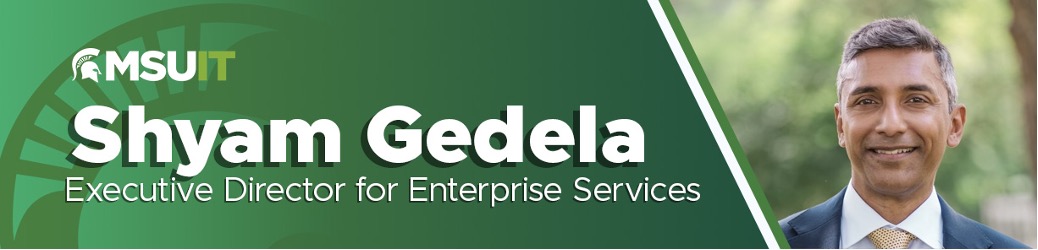
MSU IT welcomes new Executive Director for Enterprise Services
Michigan State University Information Technology (MSU IT) welcomed Shyam Gedela as executive director for Enterprise Services, effective Monday, September 28, 2026. In this role, Shyam will lead the teams responsible for enterprise platforms, administrative information systems, and data and reporting services that support the university’s academic, research, and business operations.
Shyam has served as interim director for Enterprise Services since August 2025, providing leadership for the platforms, data and reporting systems, administrative information systems, and vendor-supported technologies that form the foundation of MSU’s enterprise systems environment. Read Full Article →
From Players to Creators: MSU IT Staff Help Inspire the Next Generation of Game Designers Through GATE
This summer, two MSU IT staff members helped Michigan State University’s Gifted and Talented Education (GATE) Program give students a behind-the-scenes look at how video games are created. GATE, a department within the Office of University Outreach and Engagement, provides accelerated hands-on summer learning experiences tailored for advanced and gifted students in elementary, middle, and high school. Read Full Article →
MSU IT Educational Technology resources for Fall semester
Prepare your courses for success with MSU IT virtual workshops on Gradescope, a grading and feedback platform, and D2L Brightspace, MSU’s learning management system.
Sessions will cover practical ways to streamline grading, provide consistent feedback, and organize accessible course content so students can find materials, understand expectations, track progress, and stay engaged. Read Full Article →