



News

The MSU IT Council met on October 7. Below are the high-level topic summaries from the meeting.
Data center and network planning projectsMSU IT Chief Technology Officer Nishanth Rodrigues updated the IT Council on projects to build a new data center and upgrade the campus network.
A new data center would strengthen MSU’s technology environment for academic, administrative, and high performance computing. Read Full Article →

MSU Information Technology started migrating new MSU undergraduate students in June to Office 365 email from MSU Legacy Email. Currently, more than 35,000 accounts have been migrated to Office 365.
Sophomores were migrated to Office 365 email in September, juniors were migrated in October, and seniors will be migrated by the end of November. Read Full Article →
On Thursday, October 29, 2015, at 7:20 a.m. an incident was detected that impacted access to the MSU home page and select other university websites.
D2L was restored at 8:15 a.m. The other affected sites were restored at 9:17 a.m.
Affected websites included:
- msu.edu
- d2l.msu.edu
- search.msu.edu
- maps.msu.edu
- servicestatus.msu.edu
- MSU Keywords System
If you have questions, please contact the MSU IT Service Desk at (517) 432-6200 or itserve@msu.edu Read Full Article →

Whether you are new to MSU D2L or an experienced user, we hope you find D2L Gradebook Tips useful. These tips highlight the various features and tools to set up and manage the gradebook more efficiently.
If you previously used the ANGEL gradebook, you will find that D2L provides many similar features for both points-based and weighted (percentage-based) grades. Read Full Article →
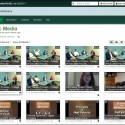
MSU Information Technology added captioning, lecture, capture, and other new features to Kaltura MediaSpace video storage on October 19 for MSU students, faculty, and staff. Additionally, MSU expanded MediaSpace bandwidth and storage to support continued growth.
CaptioningMediaSpace users can now order video captioning at no charge. This machine captioning service is 70-80% accurate, and there’s an editing tool for correcting any captions. Read Full Article →

Cyber security continues to grow in importance, and we all play a role in today’s highly networked world of systems, information, and technology.
MSU Information Technology helps celebrate National Cyber Security Awareness Month (NCSAM) by promoting safe computing tips and supporting the MSU Security Summit on October 15.
MSU SecureITSecureIT is the main safe computing initiative at MSU encouraging safe personal computing, as well as information security guidelines and best practices for dealing with institutional data. Read Full Article →

Have you ever walked into a classroom and wondered how you would possibly make it work for your lesson plan that day?
Growing active learning spacesIn 2012, MSU IT Teaching and Learning Technology began partnering with the Office of Faculty & Organizational Development by launching a new faculty development program revolving around the Rooms for Engaged and Active Learning (REAL). Read Full Article →

MSU’s Institutional Data Policy (IDP) holds every member of the university community individually responsible for the appropriate use and protection of institutional data, and especially of confidential data, in their possession or control.
A first step to securing institutional data is increasing awareness about institutional data and confidential data.
Confidential data needs to be stored only on a secured server. Read Full Article →

The MSU IT Council met on September 2. Below are the high-level topic summaries from the meeting.
President Simon addresses the IT CouncilPresident Lou Anna K. Simon talked to the MSU IT Council on September 2. She said that campus IT has stagnated over the last several years creating a technology deficit at MSU. Read Full Article →

Did you know there are eight makerspaces spread across Michigan State University? A collective group of individuals have been working together since January in order to better inform you about them.
What is a makerspace?A makerspace traditionally is seen as a workshop with tools, machinery, supplies, and space to make things. Read Full Article →

